Guidelines for applying to the PhD Programmes of the Scuola Normale Superiore
Registration and access
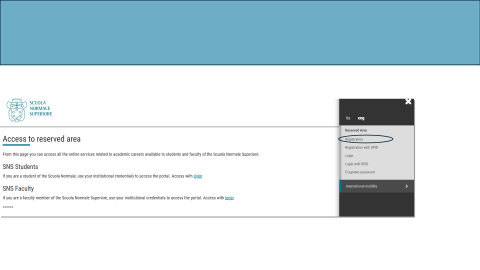
Open the registration page: https://sns.esse3.cineca.it/Root.do
Enter all required information (personal details, address, identity document, etc.).
After registration, you will receive an email containing the access key to the portal. Use it to start completing the application.
Go to Login.
After logging in, you will be redirected to the applicant area.
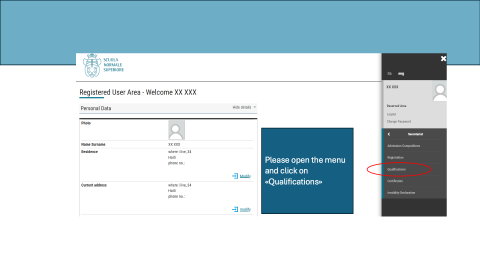
Fill in the “Qualifications” section
Open the navigation menu and select Qualifications.
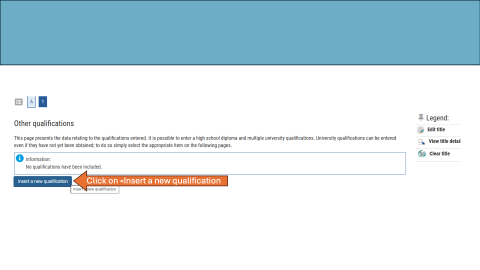
Activate the command shown in the guide as “Insert a new qualification” to add or edit your qualification.
Choose the option that matches your degree:
- Click on "University qualification or other qualification" if you graduated in Italy or
- Click on "Foreign university qualification" if you graduated outside Italy.
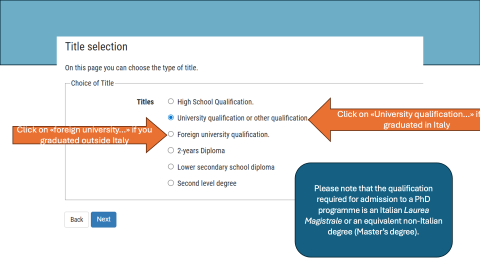
Requirement reminder: the qualification required for admission is an Italian Laurea Magistrale or an equivalent non-Italian degree (Master’s degree).
After completing “Qualifications” return to the main menu and click on “Admission competition”
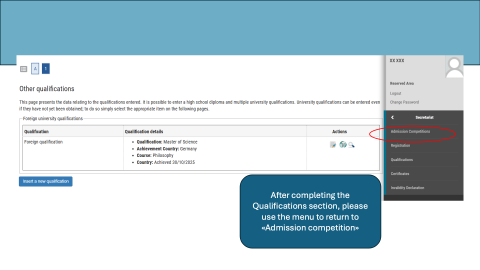
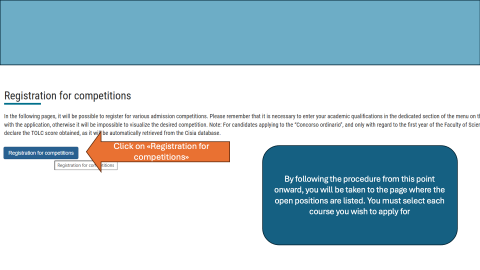
Continue the procedure until you reach the page where the open positions are listed. Select each course you wish to apply for. Upload your ID document
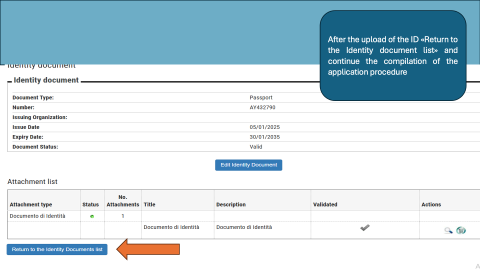
Find the section that the guide refers to as “Click on the lens”. Activate the control that opens the ID document details for the document you declared during registration.
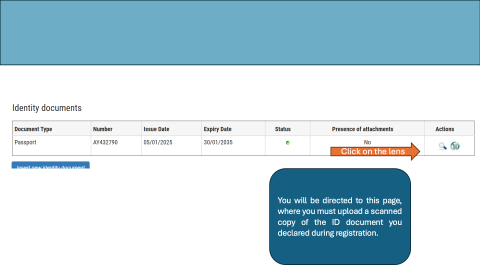
Upload a scanned copy of the ID document you declared during registration.
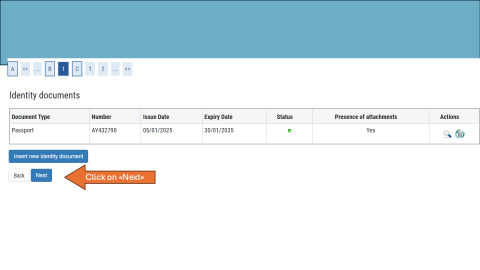
After the upload, activate Return to the Identity document list, then continue the compilation of the application procedure.
Scholarships, if applicable
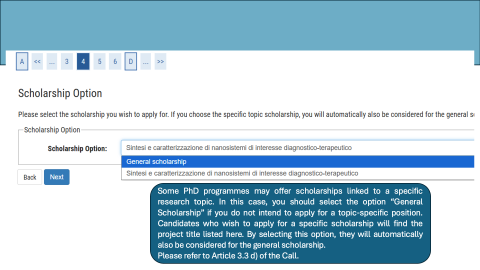
Some PhD programmes may offer scholarships linked to a specific research topic.
Select General Scholarship if you do not intend to apply for a topic-specific position.
If you wish to apply for a specific scholarship, select the relevant project title listed there. By selecting a specific scholarship, you will automatically also be considered for the general scholarship.
Upload the required documents
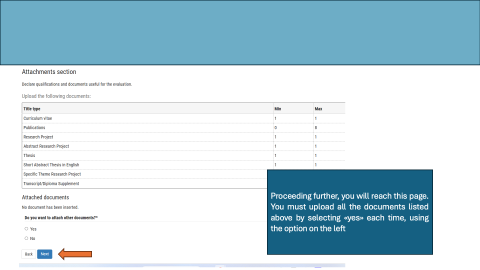
Proceed until you reach the upload page. Upload all documents listed in the page.
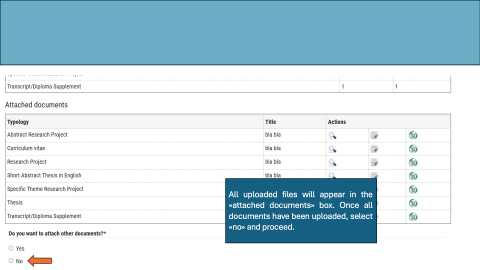
For each requested document, select «yes» and then upload the corresponding file.
After each upload, verify that the file appears in the «attached documents» box.
Once all documents have been uploaded, select «no» and proceed.
Language questionnaires
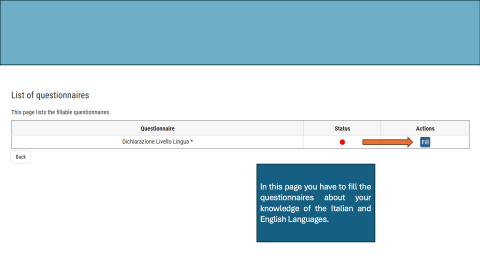
Fill in the questionnaires you find listed.
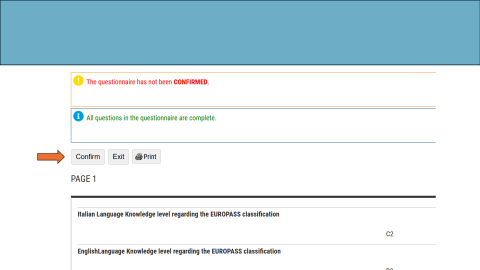
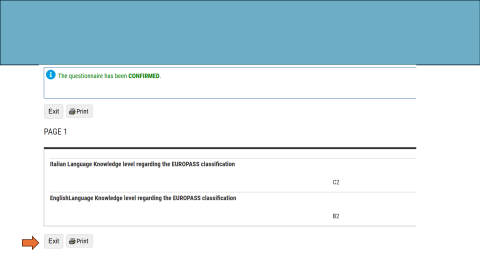
For each questionnaire you need to “Confirm” and “Exit”
Submit the application
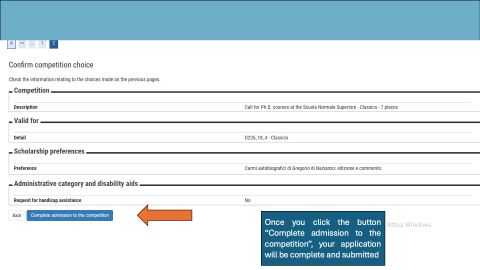
When you activate the final submit button shown in the guide, your application will be complete and submitted.